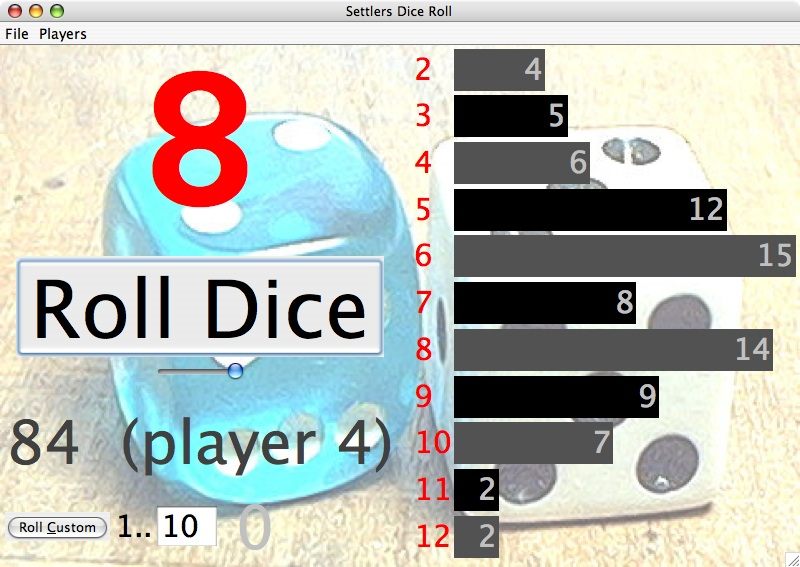
This is a free little program to roll the dice for Settlers of Catan and graph the rolls over time. The program speeds up taking turns a bit, and the graph is kind of fun to watch, showing exactly how the dice do not go your way. (version 2.2, Feb 2010)
Run Settlers Dice Roll -- the link should automatically download the program to your computer and run it in a separate window using Java Web Start.
Alternately, you can as an applet (there'll be a slight delay)
Or you can download this settlers-dice-roll.jar file and save it on your computer. On your computer, just double click settlers-dice-roll.jar file to run it. You need the Java Runtime Environment (JRE) which most machines already have installed (it's free and open source). See JRE download to get java.
The Custom Roll button makes it quick to steal cards, and you can just type a digit 2..9 to do a random roll between 1 and that number. The Re-Roll button makes it easy to re-roll 7's which appear in the first 2 rounds, which is how many people play. The time slider allows you to go back and forth over the roll history, and as a side effect you can see how long the game took. The code uses a cryptographic strength random number generator seeded with environmental randomness. The random roll also includes a factor based on the exact moment that you click the button, so listen for vibrations from the universe, letting you know the right moment to click.
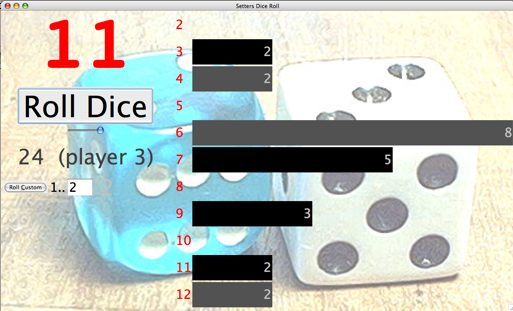
One feature of the program is you can see just how bad your luck can get. July 14 2009, Katie had her first 2 settlements placed so that she would get resources if a 5, 8, or 10 was rolled, and 24 rolls later...
Given the graphical history of the rolls, you can get the feeling that the universe has some plot for or against you. But really, sometimes the randomness piles up against you and other times the randomness goes your way... that's just the way the universe works!
I have written a separate short discussion about Dice Odds in Settlers of Catan -- that addresses questions like: what are the odds of a Settlers game where no 9's are rolled?
Back when I was first getting this to work, I found the following settings helpful for getting the right MIME type for .JNLP and .JAR. I created a .htaccess file in the application directory with the following contents (this is an Apache feature). Later on, apache just had this mime type built-in, so no .htaccess was necessary.
AddType application/x-java-jnlp-file JNLP
AddType application/java-archive JAR
Then I created the settlers-dice-roll.jnlp file which glues it all together -- look at its text to see how it works. Share and enjoy! Nick's CS Home
Nick Parlante nick.parlante@cs.stanford.edu